
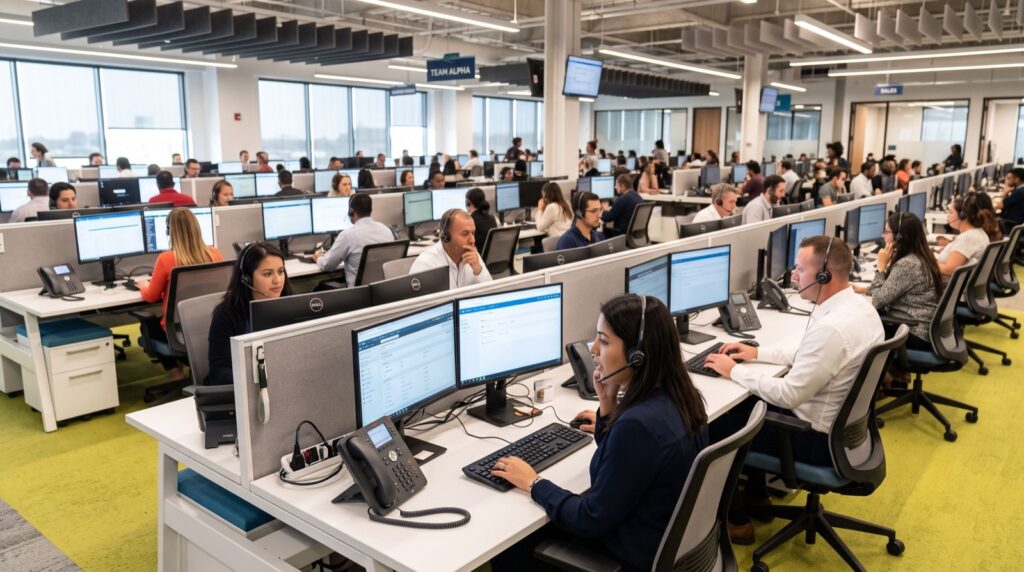
There is a purchasing mistake so common in Pakistani offices that suppliers have come to expect it: the admin officer counts the desks, multiplies by one, and orders identical phones for everybody. Half the budget goes to features that will never be touched, while the two people who handle eighty percent of the company’s call traffic end up under-equipped. The fix is not a bigger budget. It is matching the phone to the desk.
Desk phones are tools, and like tools, the right one depends entirely on the job. A receptionist routing forty calls a day, a manager negotiating with clients on speakerphone, and a data-entry clerk who makes three internal calls before lunch have almost nothing in common. This guide walks through each role in a typical office and explains what to buy for it, what to skip, and why.
Six Specifications That Actually Matter
Manufacturer datasheets bury buyers in acronyms, but for an office deployment only a handful of specifications change your daily experience. Judge every candidate handset against these six points and ignore most of the rest:
- SIP line count — how many accounts or concurrent calls the phone can juggle; two suffices for most desks.
- HD voice support — wideband audio makes accents and numbers dramatically easier to understand on long calls.
- PoE capability — powering the handset through the network cable eliminates desk adapters and simplifies UPS backup.
- Programmable keys — one-touch speed dial, transfer, and busy-lamp monitoring; critical for reception, irrelevant for quiet desks.
- Headset port — an RJ9 or USB socket matters enormously for anyone on calls more than two hours daily.
- Display quality — colour screens speed up navigation for heavy users; a mono screen is fine for occasional callers.
The Reception Desk: Traffic Control
Reception is where under-buying does the most visible damage. The operator’s core motion — answer, identify, transfer — repeats dozens of times per day, so the phone must show extension status at a glance and complete a transfer in one or two presses. Look for generous programmable keys with busy-lamp-field support, a display large enough to read caller information instantly, and audio quality that survives a noisy lobby. Skimp anywhere else in the building before you skimp here.
Managers and Client-Facing Staff
People who negotiate for a living need a different toolkit: a full-duplex speakerphone that lets both sides talk over each other naturally, a colour display for consulting call history mid-conversation, and enough line keys to park one client while checking a figure with a colleague. A device in the class of the Fanvil V61G Prime Business Phone sits squarely in this bracket — gigabit connectivity so it daisy-chains with a desktop PC, a modern screen, and audio engineered for the long, revenue-bearing conversations that justify its price tag.
A practical note for this tier: check for a built-in gigabit PC port before buying. Executive desks usually have exactly one network point, and a phone that bridges the connection to the computer saves you the cost and disruption of pulling new cable through finished walls.
The Open Floor: Dependable and Simple
For accounts, operations, and support staff, the winning qualities are reliability and simplicity, in that order. These users need clear audio, hold, transfer, redial, and a phone that survives years of daily handling — nothing more. The Fanvil V50P Basic Level IP Phone is a textbook example of the category: HD audio and PoE in an unfussy package, priced so that equipping ten desks does not derail the project budget. Buying this tier deliberately, rather than as a grudging compromise, is what frees up money for the desks that genuinely need more.
Headsets deserve a mention in the same breath. Anyone at a support or telesales desk who cradles a handset against their shoulder for hours is heading for neck strain and muffled audio; a modest corded headset plugged into the phone’s RJ9 port fixes both for a few thousand rupees. Budget for headsets at the same time as the phones, because retrofitting them later means checking port compatibility desk by desk.
Shared Spaces and Special Cases
A few locations refuse to fit the standard tiers. Meeting rooms deserve a dedicated conference unit with 360-degree microphone pickup, because a desk phone on speaker at the end of a long table produces the muffled, echoing calls everyone dreads. Workshops, kitchens, and store rooms are better served by wall-mounted or ruggedised units. And staff who move around the premises all day may not need a desk phone at all — a cordless or Wi-Fi handset registered to the same PBX often serves them better.
A Simple Budget Formula
Once roles are mapped, the arithmetic becomes almost mechanical. A workable rule of thumb for a Pakistani SME: allocate roughly forty percent of the handset budget to the top tier — reception plus managers — even though they occupy perhaps a quarter of the desks, and spread the remainder across basic units and one shared conference device. Add ten percent contingency for spare handsets, patch cords, and wall brackets, which every office forgets and every office needs within the first month.
Think about running costs at the same sitting. PoE handsets sip only a few watts each, but across twenty desks and ten years, energy and maintenance quietly become real line items. Businesses have learned this lesson elsewhere: the owners who slashed their monthly utility spend did it by consulting dependable specialists instead of guessing at hardware, and the identical habit — expert advice before procurement — is what keeps a phone rollout on budget for its whole life, not just at the invoice stage.
Three Mistakes to Avoid at the Order Stage
First, do not mix random brands across the office. A single manufacturer means one provisioning template, one firmware routine, and staff who can swap desks without relearning their phone. Second, confirm local warranty fulfilment in writing; a handset that must travel abroad for repair is effectively disposable. Third, order one spare unit per ten desks. When a receptionist’s phone fails at nine in the morning, a spare in the cupboard is the difference between a five-minute swap and a lost business day.
The role-by-role method takes an extra afternoon of thinking compared with ordering a single model in bulk. In return, every user gets precisely the tool their work demands, the finance manager sees a smaller total than the uniform quote, and nobody spends the next five years pressing at a phone that was designed for somebody else’s job. That is an afternoon well spent.